Webhook Using
OxsKYT provides Webhook service to notify the result of the pdf generation. On OxsKYT dashboard (opens in a new tab), you add Webhook urls to receive the result of the report generation.
Login to OxsKYT
Log in to the OxsKYT dashboard. Login to OxsKYT (opens in a new tab)
Add Webhook Endpoint
Add the Webhook Endpoint URL to the dashboard (opens in a new tab) to receive the result of the report generation.

Save your Webhook secret key
Click to copy button to copy the secret key and save it to use in your application.
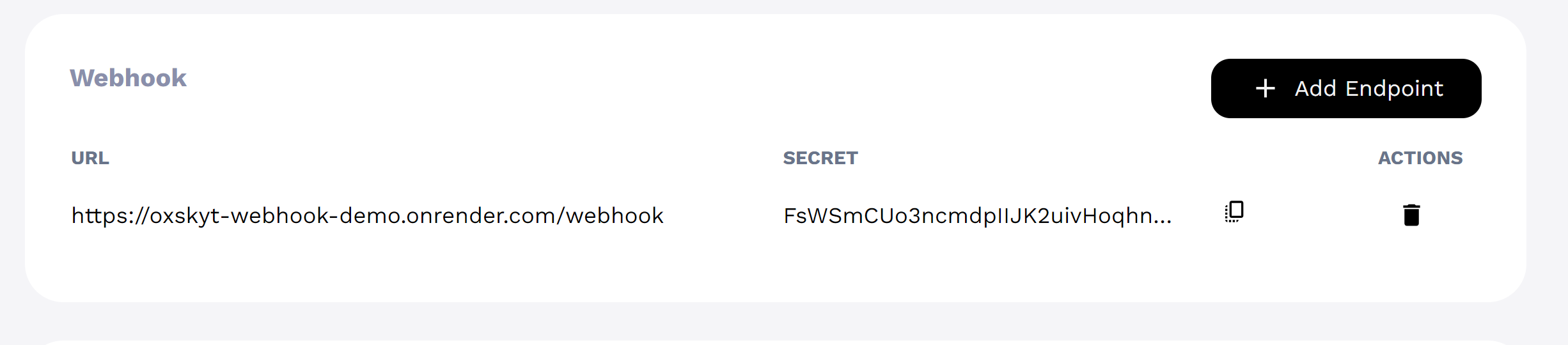
Warning we recommend to keep the secret key safe and do not share it with anyone.
Using Webhook
For each report generation, a request is sent to the Webhook address. A field named 'x-signature' is created in the header of the request. The value of this field is created with the 'sha256' algorithm. The body contains the data of the generated report. (To examine the structure of the report data, click here (opens in a new tab) or here.) The purpose of this hash signature is to verify that the request sent to your webhook is sent by OxsKYT. Below is an example code showing how to use the webhook.
Request structure
header:x-signature: hash value of the body and secret keybody: report data
Hash function
You can use the following hash function directly in your application. Or you can convert it to the language you are using.
const crypto = require("crypto");
function hashBody(body, secret) {
  return createHash("sha256")
    .update(body)
    .update(createHash("sha256").update(secret, "utf8").digest("hex"))
    .digest("hex");
}
Example Webhook Endpoint on Express.js
We are using the express.js framework for the example because it is easy to understand and use.
app.post("/webhook", (req, res) => {
  const signature = req.headers["x-signature"]; // get signature from header
  const secretKey = process.env.OXSKYT_WEBHOOK_SECRET; // get secret key from environment variable
  if (signature !== hashBody(JSON.stringify(req.body), secretKey)) {  // compare the signature with the hash value of the body and secret key
    res.status(401).send("Invalid signature"); // if the signature is not valid, return 401 and do not process the request
    return;
  } else {
    // The signature is valid, you can process the request. Like, save the report data to the database etc.
    console.log(req.body);
    res.send("OK");
  }
});You can examine this repository for the full example. Simple webhook Github (opens in a new tab)